Hi Guys,
This is first method which one we are going to tell you, if not resolve from this method please write to us so we will give you more solution on it.
First method is Disable Fast Startup.
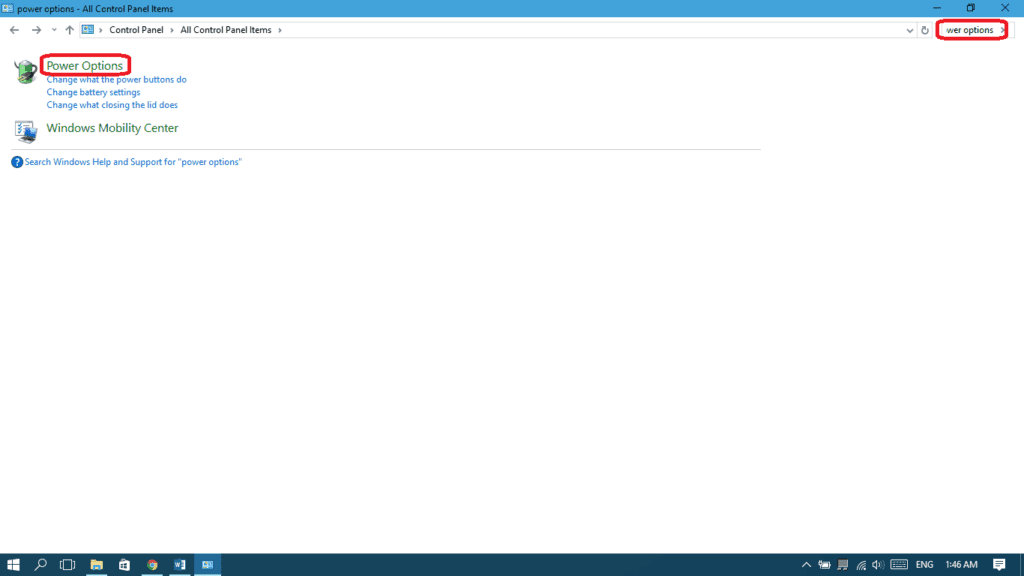
* Open “control panel” and search for “power options” and choose Power Options.
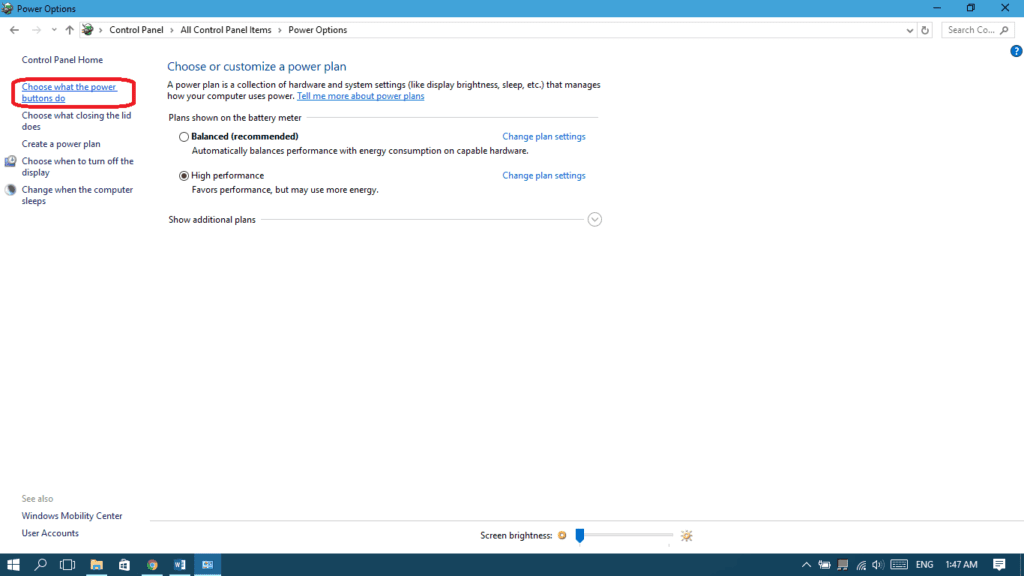
* From the left pane, choose “Choose what the power button does”
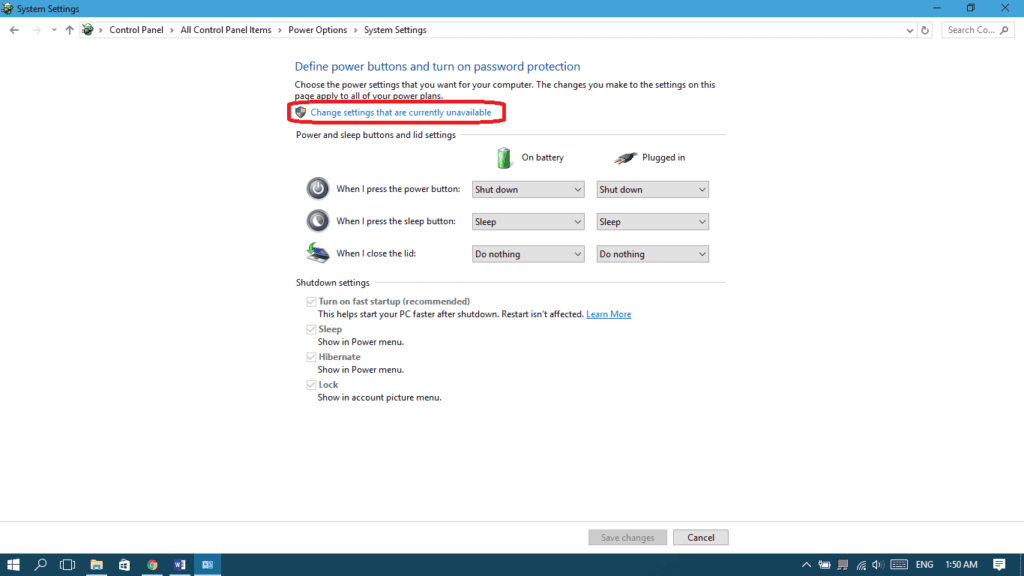
* Choose “Change settings that are currently unavailable”.
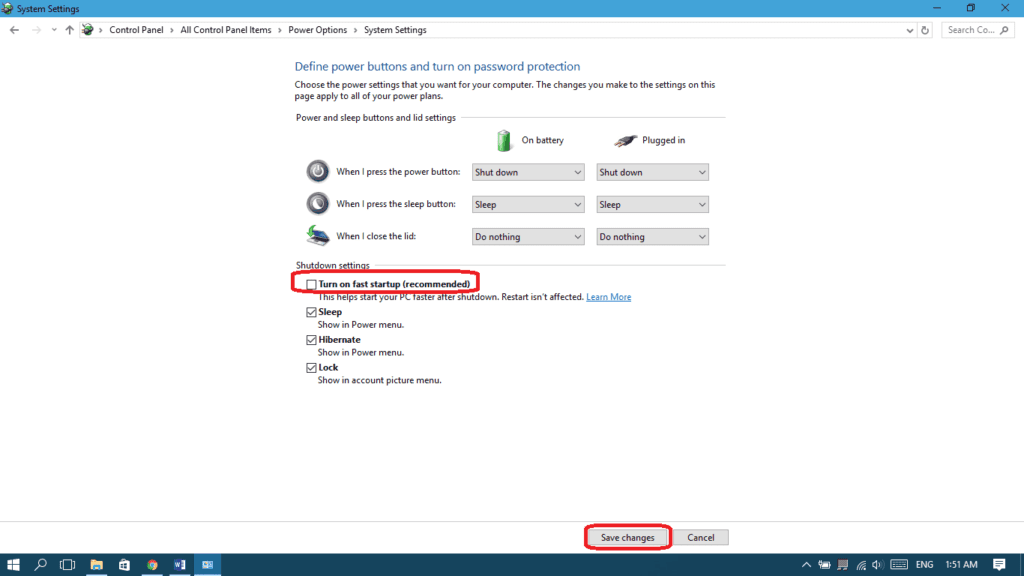
* Uncheck “Turn on fast startup” and then select “Save changes”.
* And lastly changed what the power key will do when I press the power key.
This is first method which one we are going to tell you, if not resolve from this method please write to us so we will give you more solution on it.
First method is Disable Fast Startup.
* Open “control panel” and search for “power options” and choose Power Options.
* From the left pane, choose “Choose what the power button does”
* Choose “Change settings that are currently unavailable”.
* Uncheck “Turn on fast startup” and then select “Save changes”.
* And lastly changed what the power key will do when I press the power key.
