The problem can be caused by printer drivers. So you can try to remove the drivers and install them again.
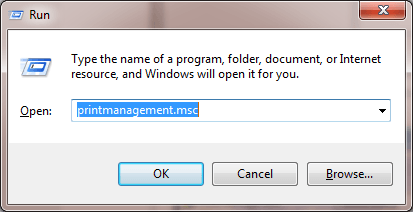
Follow steps below:1. Press Win+R (Windows logo key and R key) at the same time. A Run dialog box will open.
2. Type printmanagement.msc in the run box and click OK button.
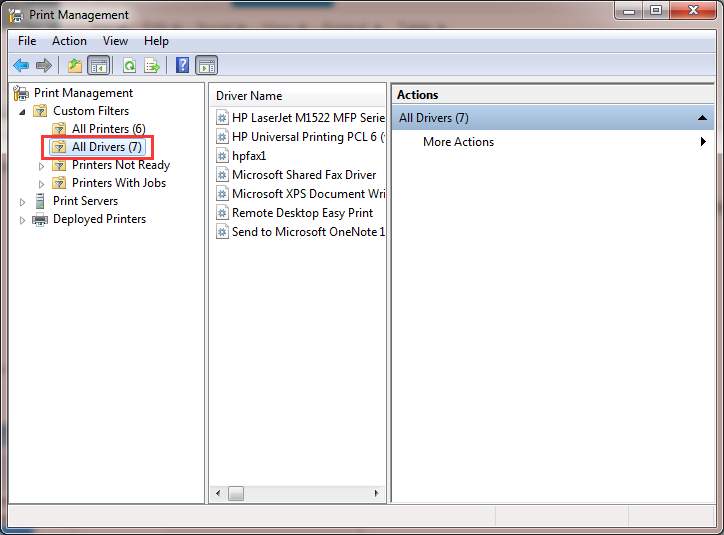
3. In the left pane, click All Drivers.
4. In the right pane, right-click on the printer driver and click Delete on the pop-up menu.
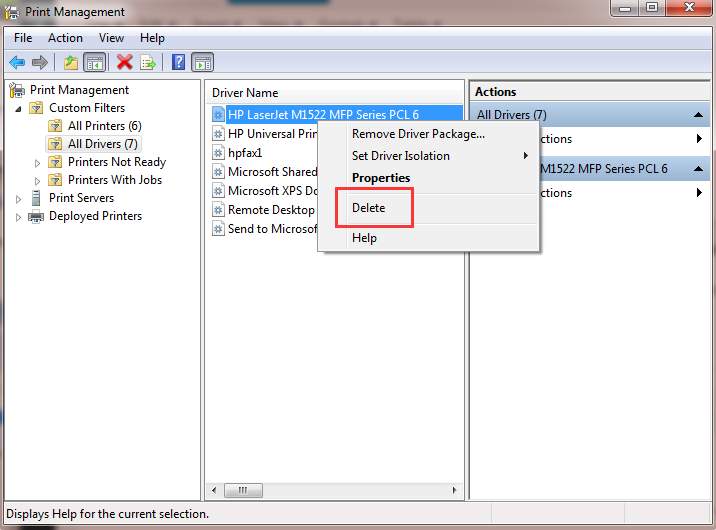
If you see more than one printer driver names, repeat steps above to remove them one by one.
5. Add the printer again.

No comments:
Post a Comment